Organize Your Business inside Google Workspace
Tackle your inbox, organize your files, and learn how to manage your creative energy with a streamlined business operation housed in Google Workspace👇
Here's what I know...
Running an online business is infinitely better when you can stay on top of emails, effortlessly save & find files in your Google Drive, and never have to question where you're saving your next project, task or to do list when your creative brain is in flow.
Wouldn't it be nice if someone setup a ready-to-implement system you could copy/paste and implement today?
Consider me your Business Administrative Assistant. I've done all of the work and for you; it's going to blow your mind and give you back hours to your work week!
Introducing…

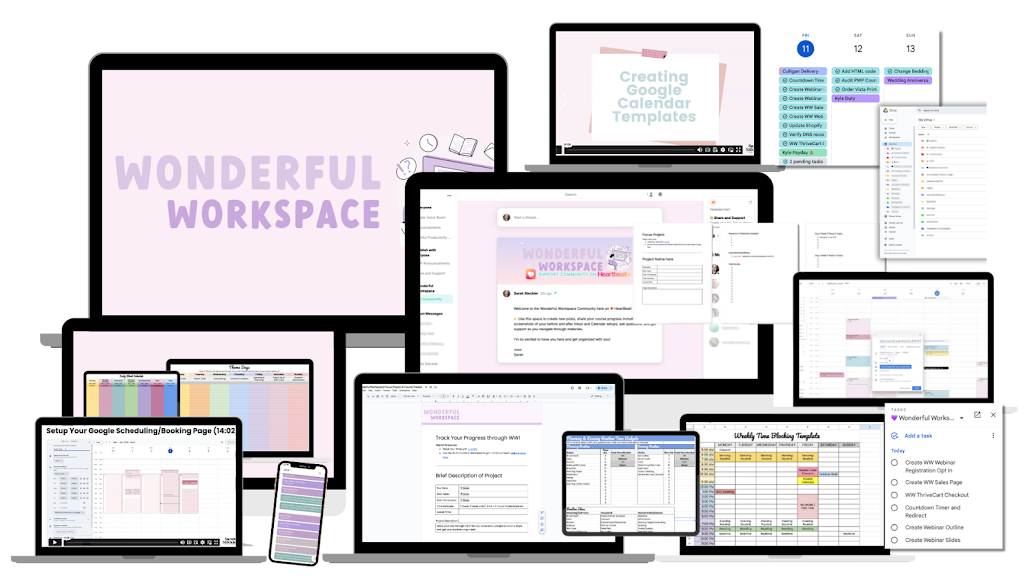
🌎 Organize and access your business files & resources anywhere you have access to the internet. Make switching from your desktop, laptop, and phone a breeze when you're working in a coffee shop or your dog demands snuggle time in the middle of an approaching deadline.
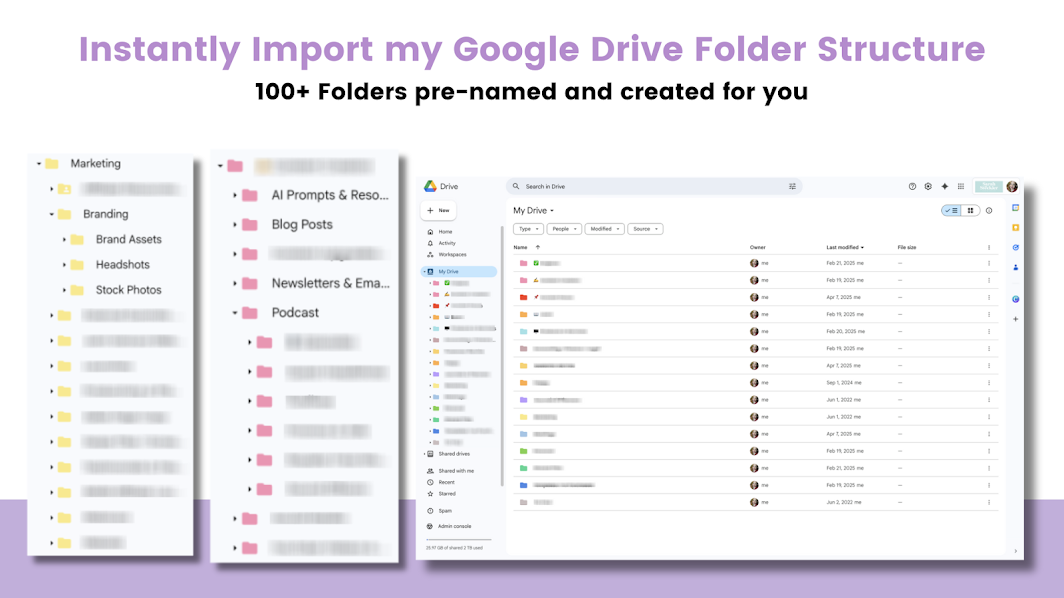
📁 Learn how to store + where to find files, folders, and reference materials with naming conventions that make sense and make collaborating a breeze. Import my entire Google Folder Structure in a matter of minutes.
⛅️ Setup Standard Operating Procedures (SOPs), routine project workflows, planning and decision making routines, and ongoing reviews & reflections so you can get to work and do the thing while honoring your energy capacity.
🖥 Optimize & declutter your Inbox and reduce email overwhelm with a streamlined system for reading, replying, and automatically filtering your Gmail.
✅ Simplify your task and project management by utilizing Google Docs & Google Tasks. I'll give you the templates, recommended setup, and the strategy.
Kind words from Students
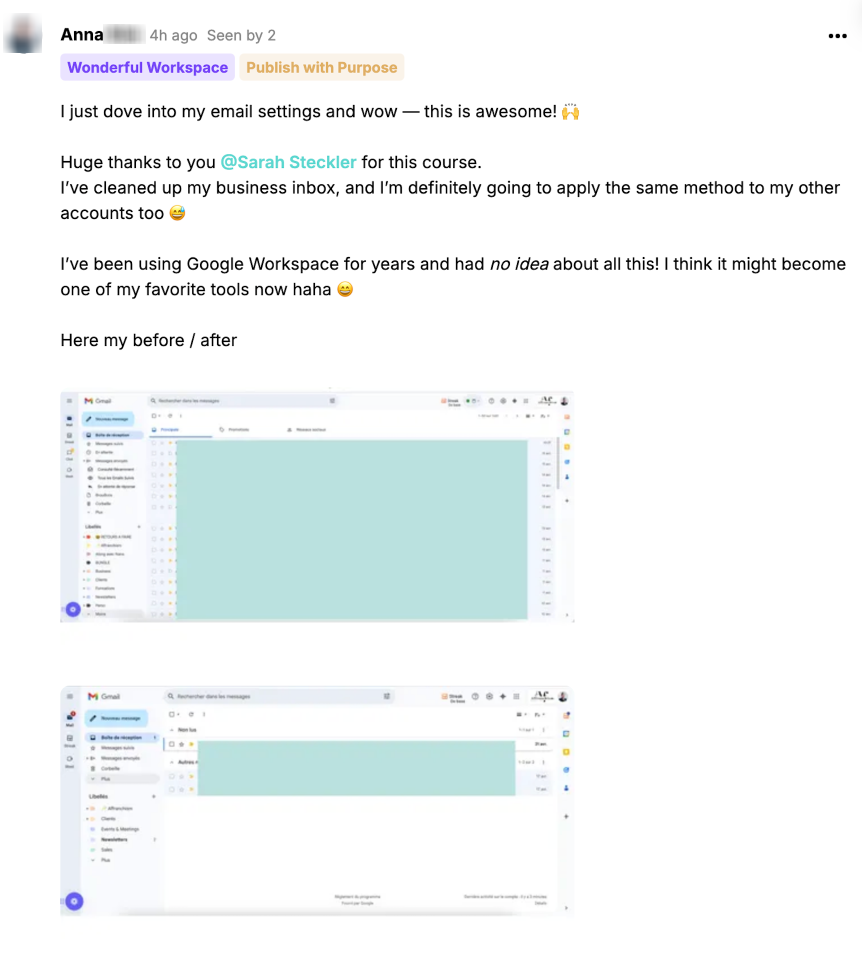
Give Your Inbox a Makeover in Minutes ⚡️
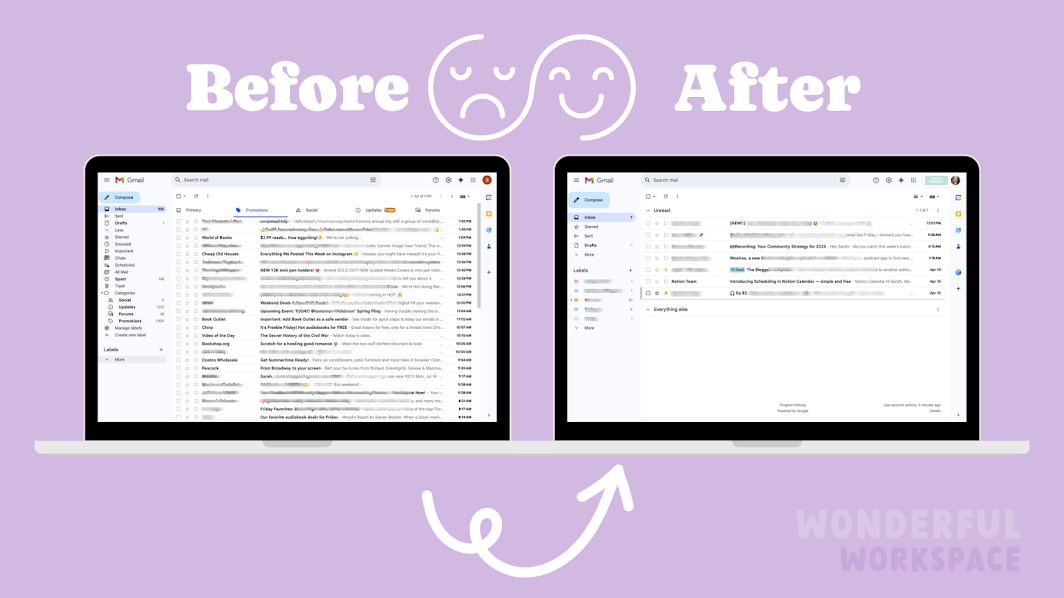
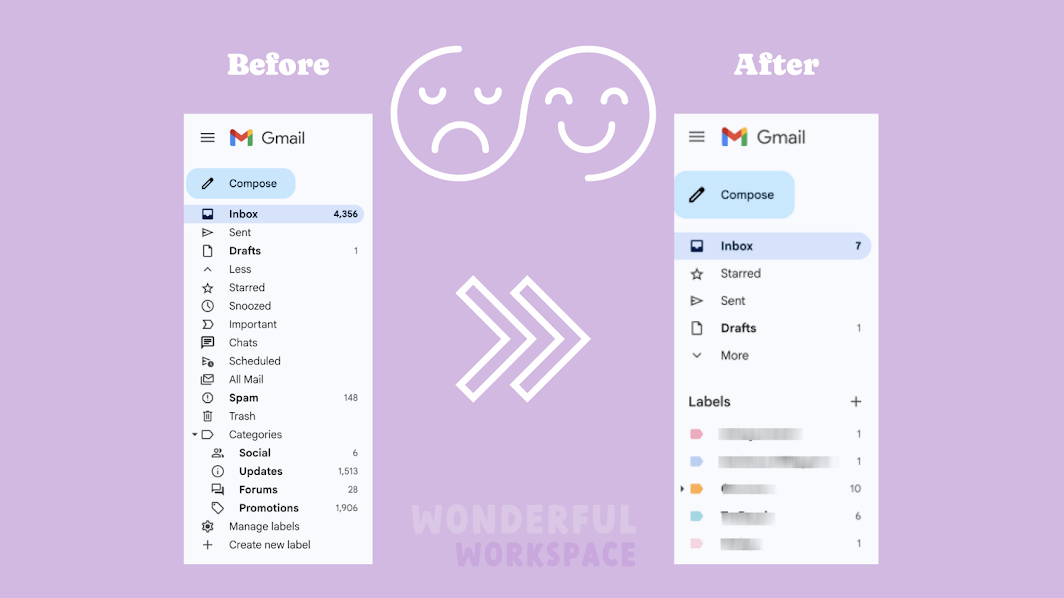
Organize Your Inbox in no time 👇
Every entrepreneur benefits from getting organized.
Whether you're just starting out or you've been spending months/years feeling overwhelmed, this course is designed to help you declutter the back end of your business and create an organizational system you can use moving forward.
"This was the best class I have purchased!" - Nancy B., student of the OYO framework inside of Wonderful Workspace
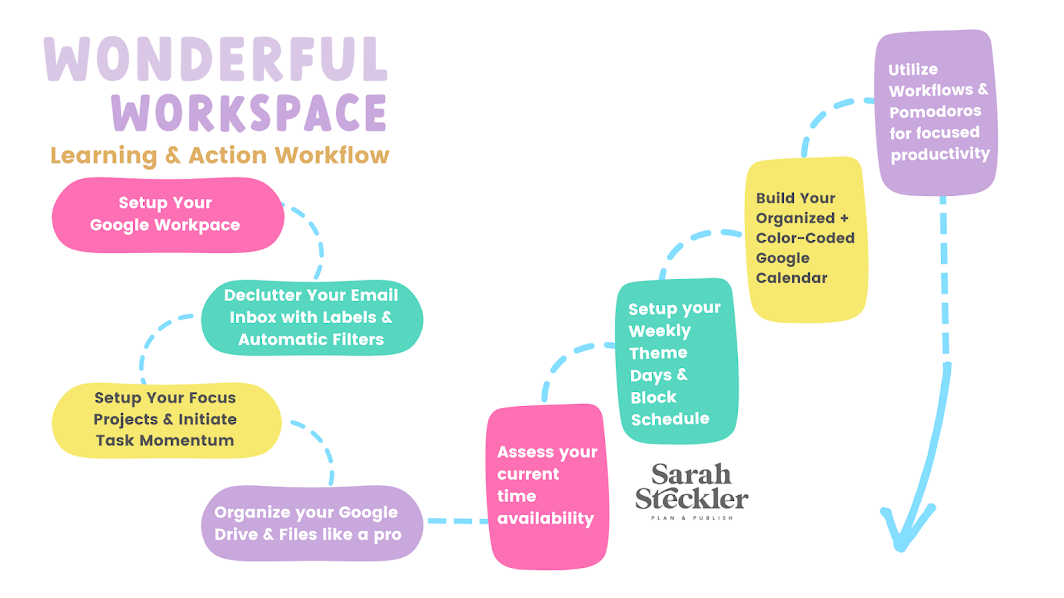
Here’s the breakdown of your
Learning Workflow:
When you first enroll I'll provide you with a brief overview of the course and send you off with a complete Course Checklist right in Google Docs so you can track your progress.
👉 We'll start by Setting up your Google Workspace, I'll tell you which plan I recommend using if you want to go all in (it's the Business Standard Plan, btw) and I'll show you your different purchase options so you can get up and running in no time.
👉 I'll help you Declutter Your Email Inbox by showing you the exact Gmail settings to use to keep your space simplified. I'll hand over my 30+ email filters for you to import and customize, and we'll get those emails tackled in a 10-minute video.
👉 I'll show you how to Setup Your Focus Projects and use Google Tasks to get things done, create recurring reminders, organize your workflows, and capture tasks on the go.
👉 Next we'll Setup Your File / Folder System in Google Drive. You'll import my 100+ folder structure right into your drive and organize your files in a breeze!
👉 We'll Assess Your Current Time Availability by going through some quick exercises to map out your routines and see how much time (and energy) you really have each day/week.
👉 I'll walk you through Setting Up Weekly Theme Days & A Block Schedule so you can avoid decision fatigue and test drive different ways of working in your business.
👉 Next we'll Build Out Your Color-Coded Google Calendar. I'll show you the 6 main calendars you need to have and how to manage projects, setup a paid booking system, and other incredible strategies!
👉 I'll show you how to Use Workflows & Pomodoros for Focused Productivity with science-backed ways to take breaks & refresh your brain.
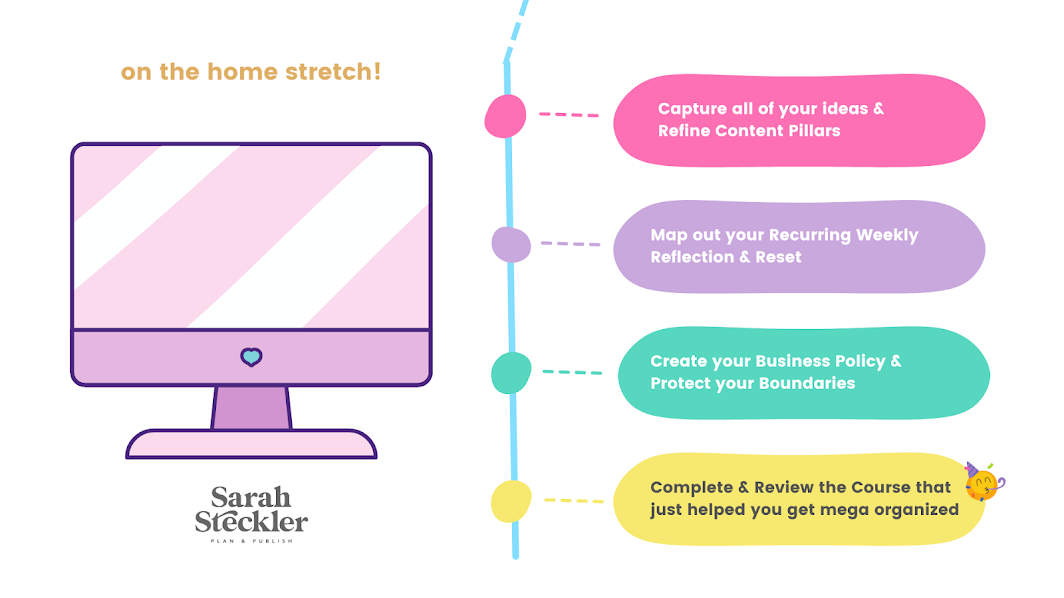
👉 We'll Capture All of Your Ideas & Refine Your Content Pillars inside the Idea Bank Google Sheet.
👉 I'll give you my template for Mapping Out Your Recurring Weekly Reflection & Reset.
👉 and we'll Create Your Business Policy & Protect Your Boundaries so you can easily identify the scope of the work you do, what you say yes and no to, and how to communicate it to your audience.
Create a Paid Booking System with
Google Calendar
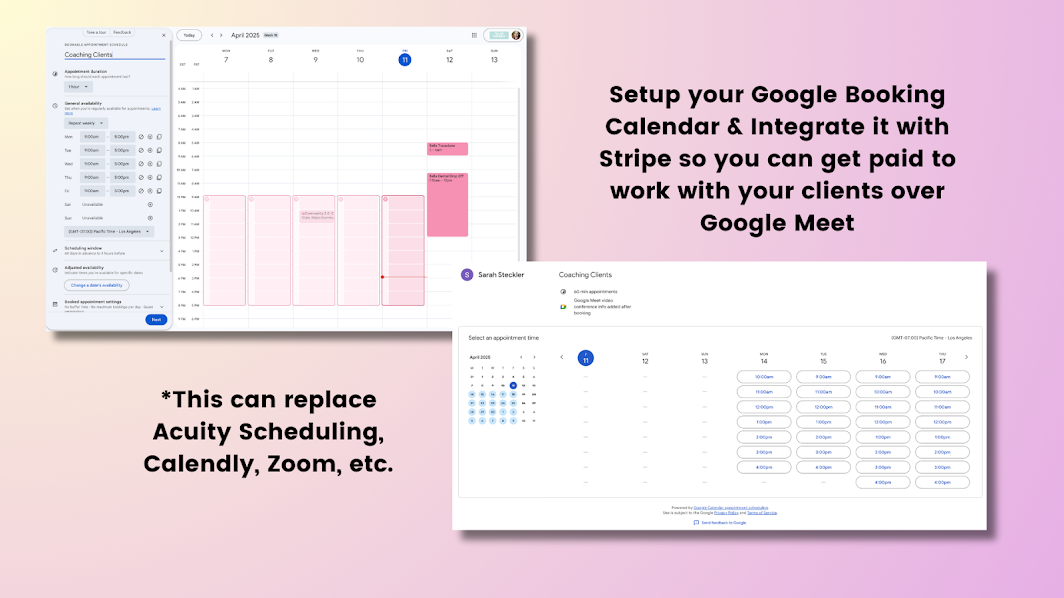
Replace your current scheduling system. Google Workspace gives you the ability to create multiple professional booking pages, connect a Stripe account to collect payment at the time of booking, send automated reminders, host & record meetings on Google Meet with the option to share your screen.
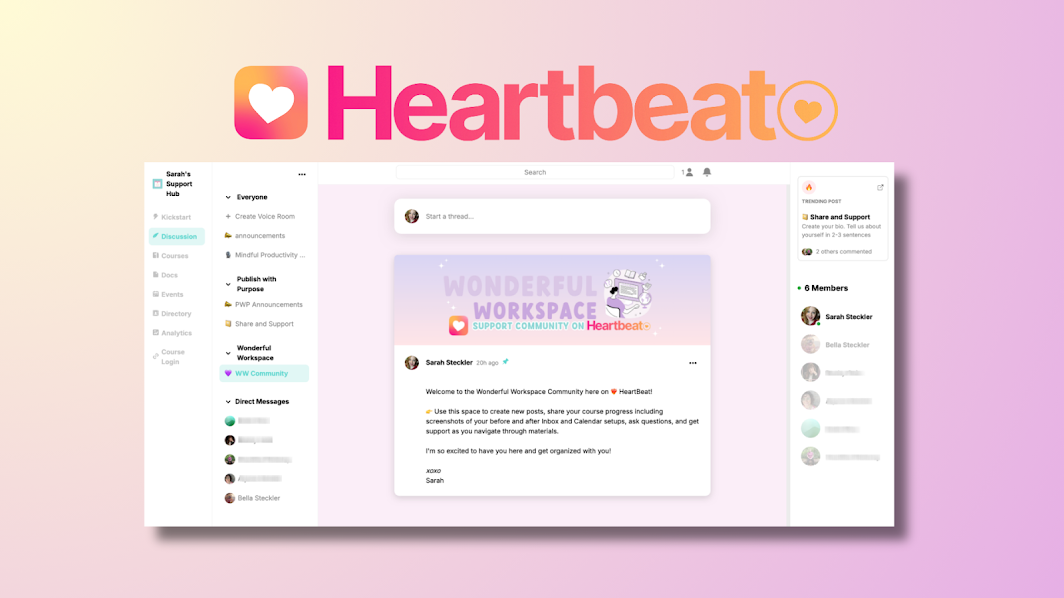
Join us in our Private HeartBeat Community for ongoing support!
Upcoming Support Calls & Workshops
FUN SIDE EFFECTS: A beautiful & functional Google Calendar, organized project workflows,
color-coded time blocking calendars 😍
Module Overview 😍
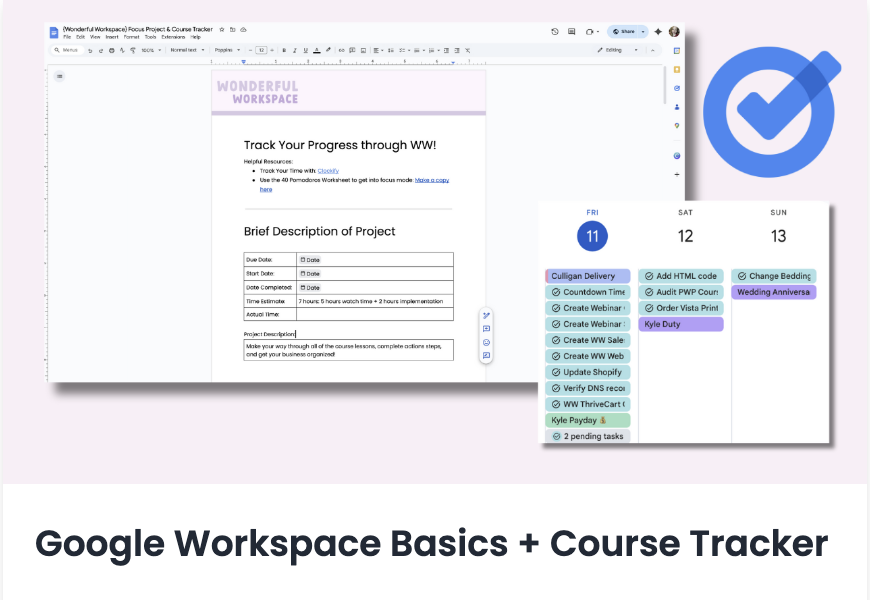
I’ll give you a quick overview of how Google Workspace all works together
You’ll make a copy of your Wonderful Workspace Focus Project Template & Course Progress Tracker

Recommended Settings for the most efficient email experience
How to tackle an overfilled inbox in less than 10 minutes
Labels & Filters to the rescue
Import 30+ filters to automate your email
Email Templates for Quick Replies
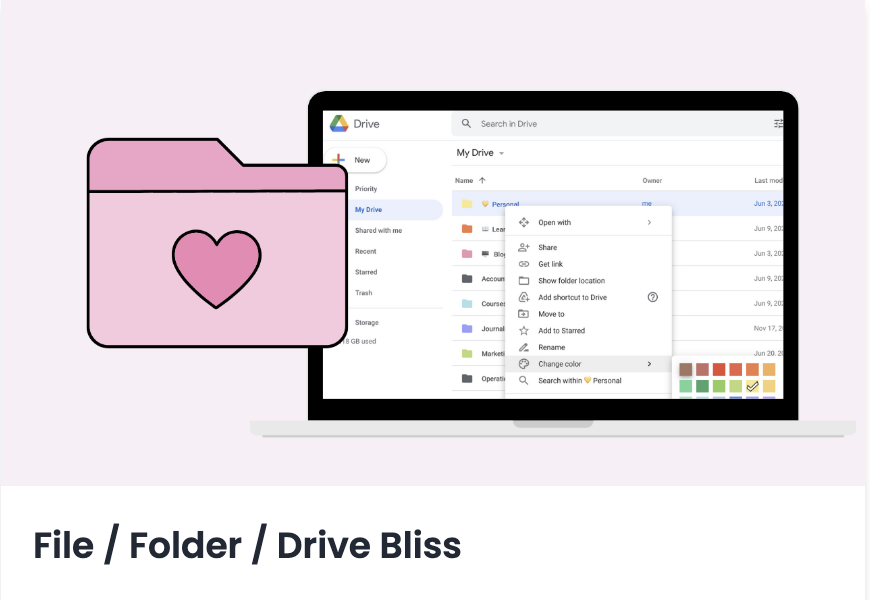
Google Drive Overview
Declutter your drive in minutes
Recommended Folder Structure & Hierarchy (import my Google Drive Folder Structure with 100+ pre-named folders created for you)
Document Naming Conventions
Best Practices for Managing Shared Files
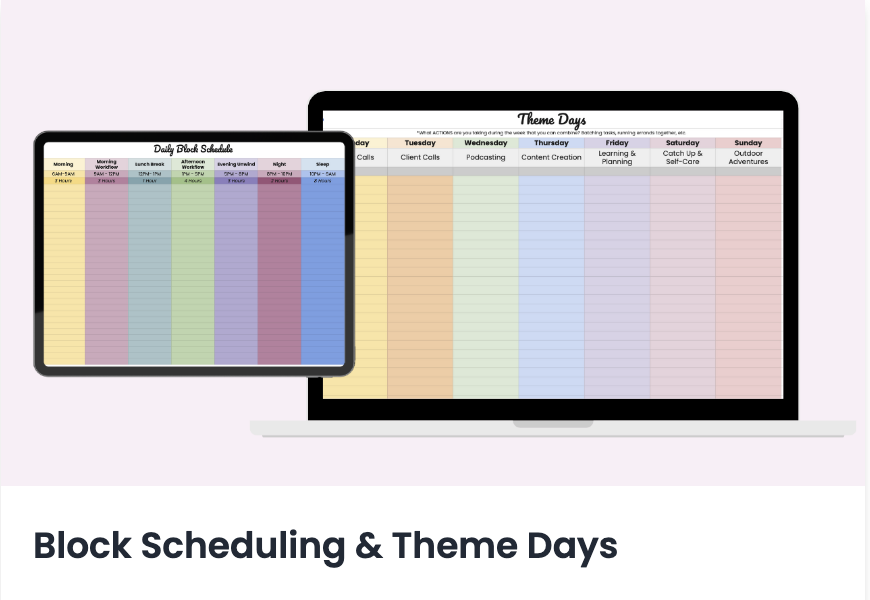
Setup your Weekly Block Schedule and establish various theme days for you to test drive
Identify your high focus areas
Create specific blocks for unplugging, relaxing, content creation, learning, and planning
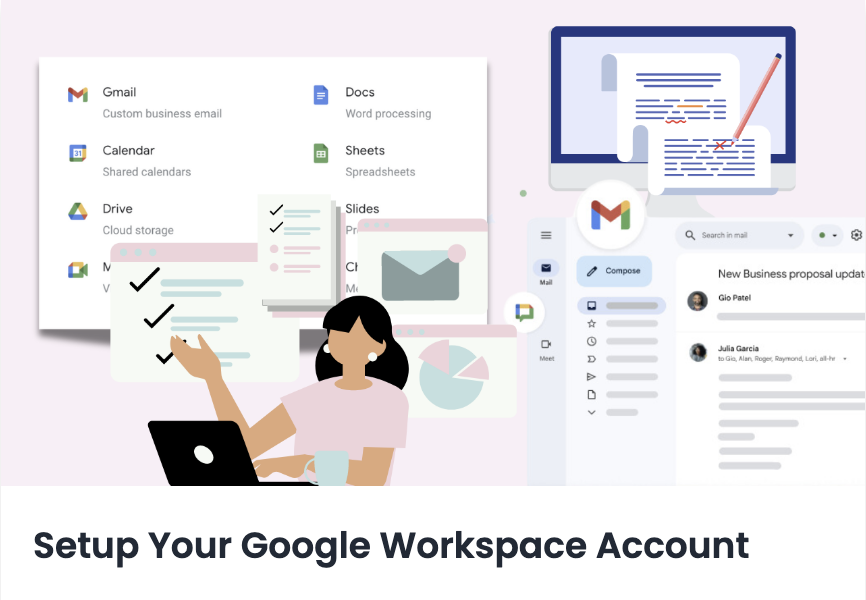
Step-by-step instructions for signing up for Google Workspace & recommended plans
Tutorial for transfering your service from SquareSpace to Google directly for added storage space
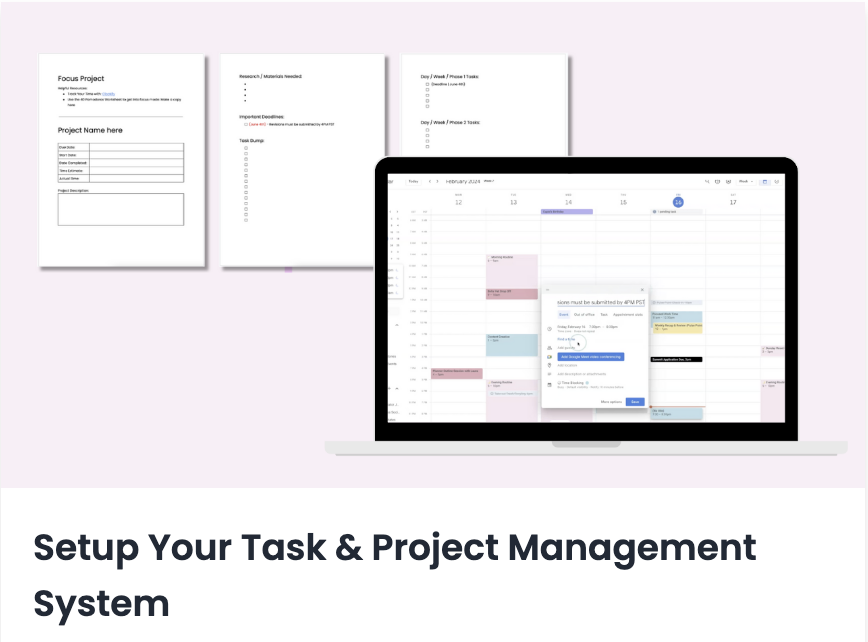
Learn the steps of creating a get-it-done Focus Project with everything in one place
How to schedule your Focus Projects into Google Calendar & integrate them with Google Tasks
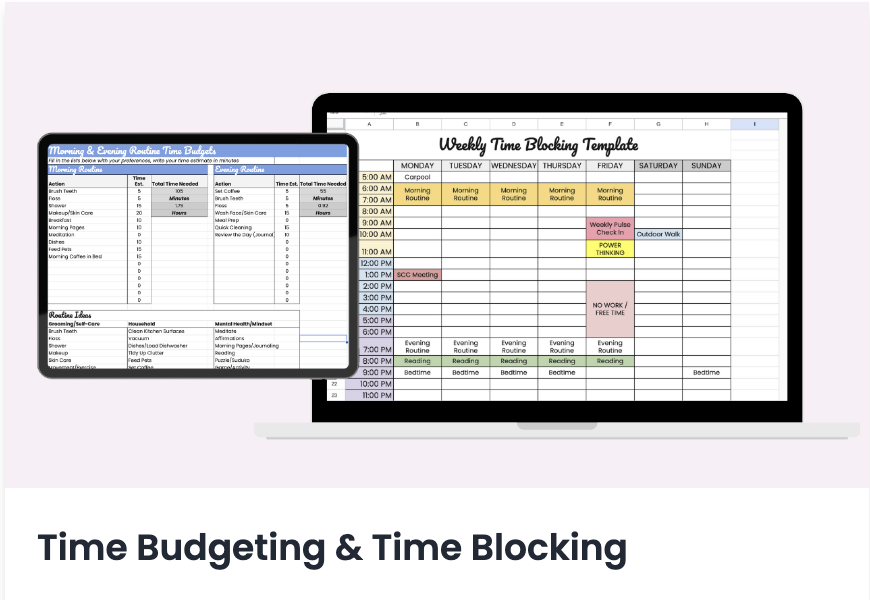
Get clear on your current time and energy capacities
Identify your morning & evening routine tasks
Setup your Weekly Time Blocking Template
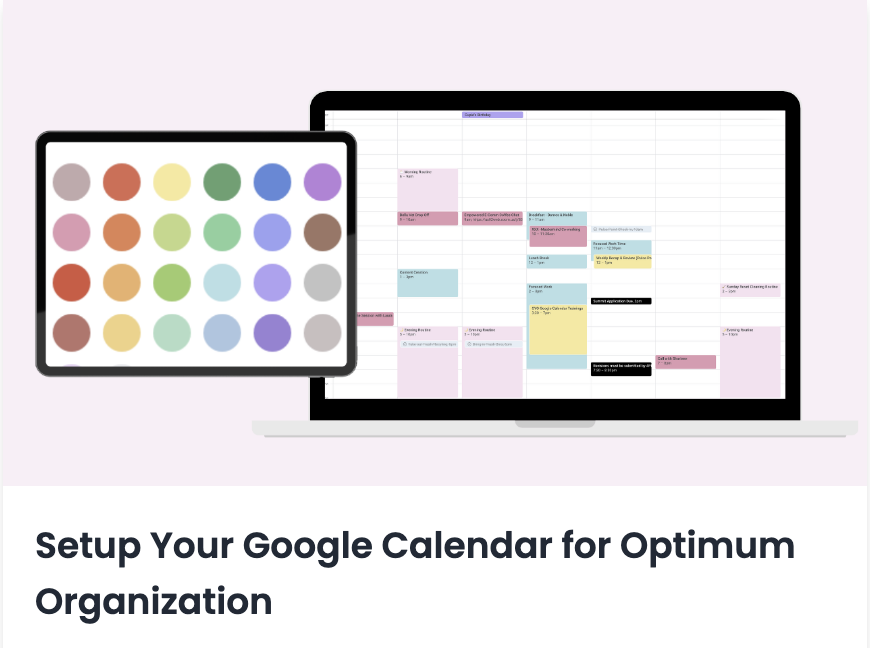
Setup your 6 Main Google Calendars so you never miss an appointment or wonder how to categorize an activity
Customize your calendar with beautiful colors
Define Categories within Time Blocking Routines
Advanced naming conventions for appointments & projects
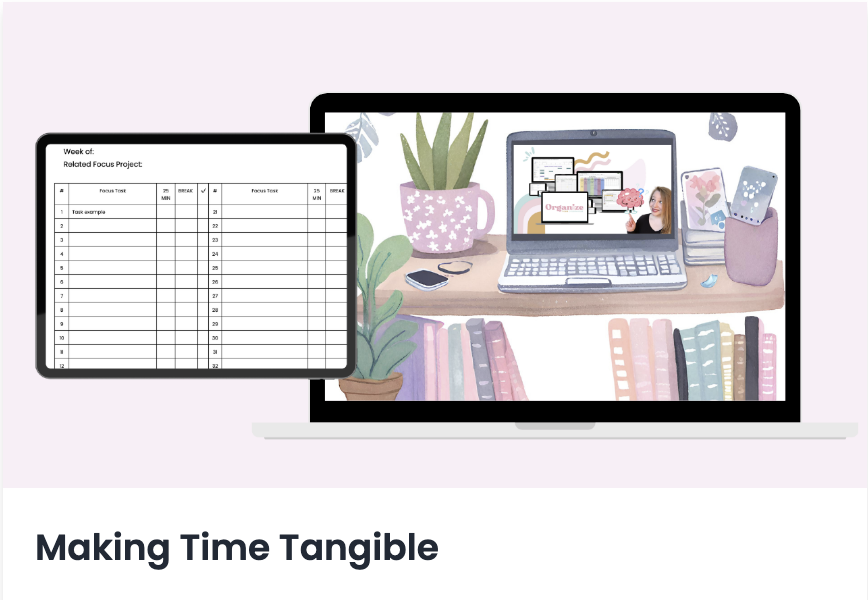
Optimizing your time management and advanced pomodoro techniques
Science-backed break techniques to keep your mind fresh and your attention zeroed in
Time tracking and puzzle game recommendations
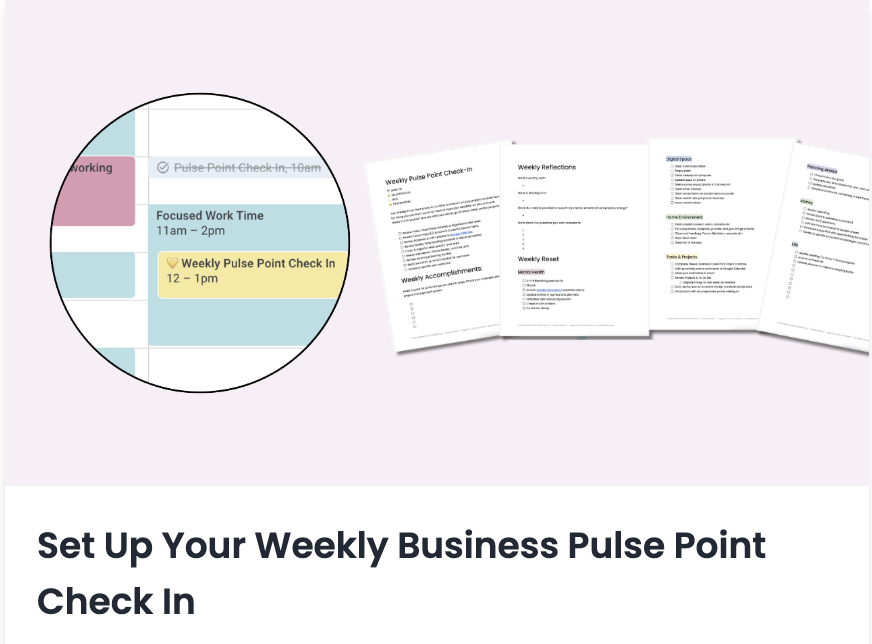
Setup your Weekly Pulse-Point Check-In and Customize your GoogleDoc Template
How to plan out your Weekly Reset for your Mind / Body / Environment
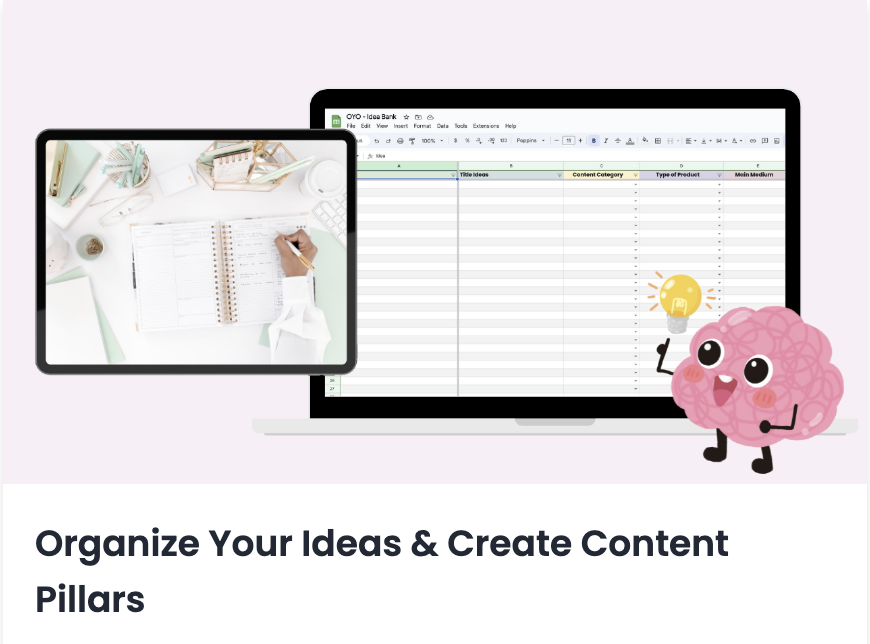
Setup your Idea Bank in GoogleSheets so you never lose track of a cool idea again
Identify your Content Categories & Connected Products / Services
Workflow & Content Outline GoogleDoc Templates
Map out the 6 Pillars of your Business Boundaries so you never question yourself in tough biz situations
Write out your Business Policies with my complete guide. (Verbiage templates included!)
Meet Your Instructor
Hey there 👋 I'm Sarah Steckler and I'll be guiding you through the process of getting your creative business organized from setting up your Inbox to managing all of your infinite ideas!
Sarah Steckler
Productivity Strategist
I've been running my online business since 2016. Google Workspace has played a pivotal role in keeping me organized, running my schedule, staying on top of deadlines, managing my energy, and collaborating with other entrepreneurs.
Over the years (and with lots of trial and error) I learned easier ways to setup Gmail, Google Calendar, and structure my File and Folder systems so that I can worry less about how to store things and more about actually doing the work.
I can't wait to walk you through all of the templates and step-by-step tutorials you'll be able to implement right away inside Wonderful Workspace. You are going to love this course!

Kind Words from Students

- Molly Wiecks, FivetoSix.com
I loved the time blocking templates and the information on how to set up a Google calendar. I needed to analyze where my time was being spent and this course definitely helped me do that. I struggle with setting boundaries on my work time and knowing when I've done "enough". This course helped me set a time budget for myself. I've been tracking my work with the pomodoros worksheet and that has been SO helpful. Seeing myself complete 40 pomodoros by Thursday each week helps me know that I'm getting lots of focused work done each week and makes me feel good about taking time away to have lunch with a friend or take a weekend completely off.
This is an extremely valuable resource for business owners of all types. This course is jam-packed with practical tools for organizing your ideas and time. When I finished the course, I had a whole file of documents specific to MY business and life that will help me continue good habits in the future. Even looking over the modules afterwards, it is obvious that I will be able to return, rewatch, and implement more in the future. Thank you, Sarah!!
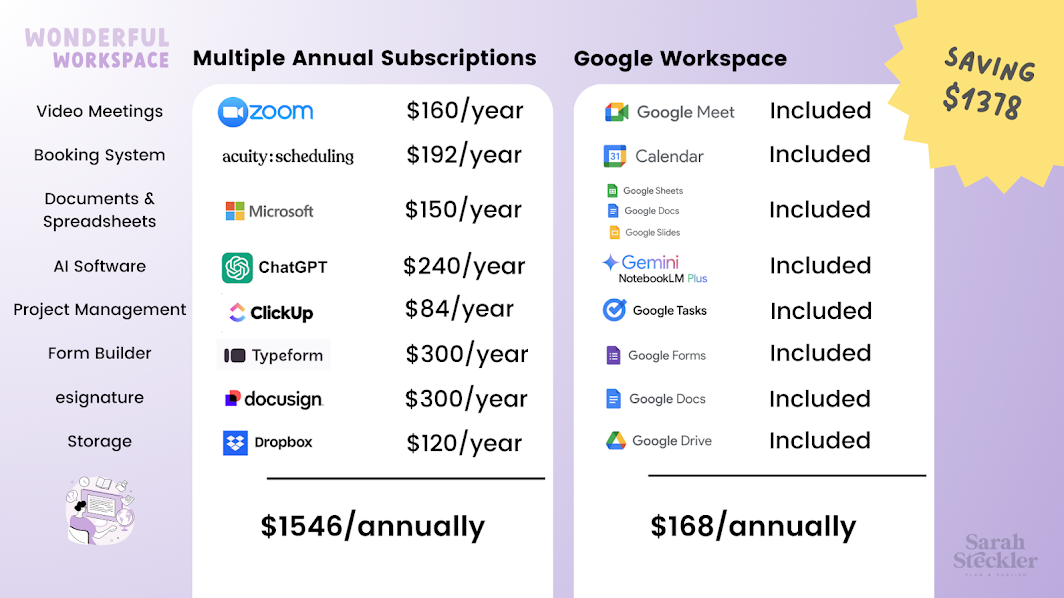
How much could you save by going all-in with Google Workspace?
FAQs you might have
-
Wonderful Workspace is a self-paced course with an ongoing support community to help you organize the backend of your business with Google Workspace. You'll also learn how to utilize mindful productivity strategies to get things done while better honoring your variable energy capacity.
-
🌿 Instant Perpetual (Lifetime) Access to All Course Materials, Trainings, Checklists, Templates & Tutorials
🖥 12 Streamlined Modules with step-by-step tutorials to setup your Google Workspace, optimize your inbox, organize your Google Drive, coordinate your Calendar, and create a Sustainable Productivity System.
👥 Access to our Private Support Community on ❤️🔥 HeartBeat to discuss course materials, get additional help & support, and find other business besties.
🌤️ Year-Round Support from Sarah through our Private HeartBeat Group. Ask a question about course materials anytime and get feedback within 48 hours Monday - Friday.
🌕 Annual Updates: Course is audited annually to reflect tech updates, student suggestions and feedback.
📌 Concise Actionable Curriculum: Around 5 hours of total watch time to help you implement what you learn more efficiently.
👍 Closed Captions (CC) / Subtitles on all videos with playback speed options.
-
Course materials are yours for the lifetime of the program. (I have been hosting courses since 2016 have no plans to stop hosting any course materials anytime soon).
-
This course is designed for online business owners and creatives who want to improve their productivity skills, organize files, setup a streamlined email inbox, and better manage the back end of their business using Google Workspace.
-
We offer flexible pricing based on project type and complexity. After an initial conversation, we’ll provide a transparent quote with no hidden costs.
-
The quick answer is no. However, there will be specific features that will require a paid subscription to GW. You'll be able to setup your Gmail, Calendar, Drive, and use Google Docs, Tasks, and Sheets, without a paid account. However, some additional features we cover do require a paid GW account. I recommend using the Business Standard subscription which comes out to $168 USD annually.
-
AI was NOT used to create any portion of this course or it’s materials. Everything was developed, written, and recorded by myself (Sarah Steckler). LLM technology is used to generate the transcripts / closed captions on videos.
-
Shoot me an email at hello(at)sarahsteckler(dot)com with “Wonderful Workspace” in the subject line and I’ll get back to you ASAP.

This training, the ideas behind it, the course offer, this sales page, and all materials included were created by me, Sarah Steckler, not AI.
Learn more about the Made by Me Badge here.
Let's Get Organized!
Get your business organized like you've always dreamed! Join us inside 💜 Wonderful Workspace!
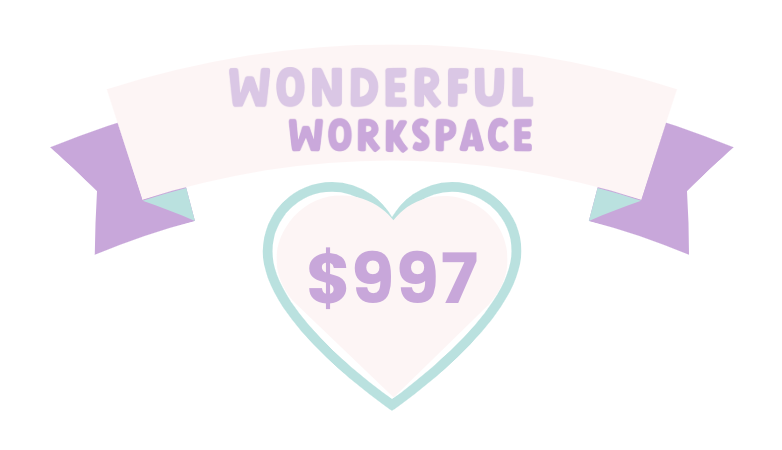
All prices are in USD. Due to the instant digital nature of this program, I do not offer refunds. Some Google Features and Applications within this program will require a Business Standard Google Workspace Account.
More on Google Workspace pricing here.
©2026 SARAH ROSE COMPANY, LLC. All rights reserved. Terms & Conditions of Use | Privacy Policy