
Your Inbox, finally stress free 😅
Even if you have 5k+ emails 👇
🖥 Optimize & declutter your Inbox and reduce email overwhelm with a streamlined system for reading, replying, and automatically filtering your Gmail.👇
Never say "sorry I didn't see this" again
It's time to say goodbye to a stressful inbox filled with lost Zoom links, overwhelming newsletters, and cluttered student and client emails. 👩💻
Wouldn't it be nice to open your inbox and...
✅ Know exactly where to find any conversation, project update, or meeting request
✅ Never make your students/clients wait for a delayed response because you know exactly how many support emails you have to respond to all in their own section
✅ Feel a sense of professionalism and confidence in managing your business communication
✅ Immediately know what's urgent and what can wait to be read later
✅ Automatically have emails filtered by events, newsletters, and more to easily reference or catch up on later
✅ Never feel resentful or overwhelmed by questions, follow-ups, or inquiries because you have a process that helps you manage all of them
✅ Work through your emails by category depending on your workflow or project deadlines
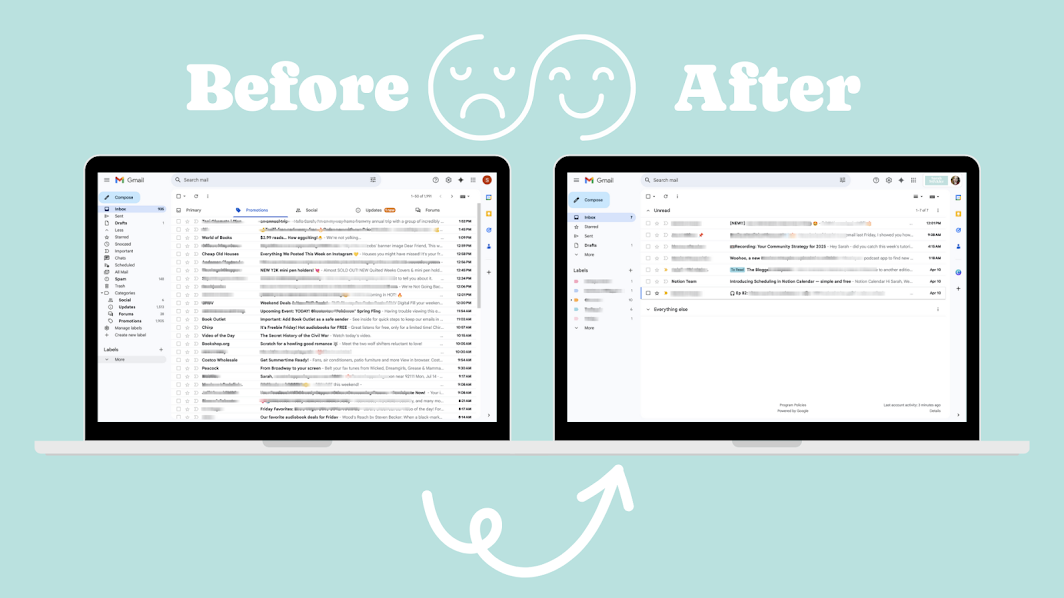
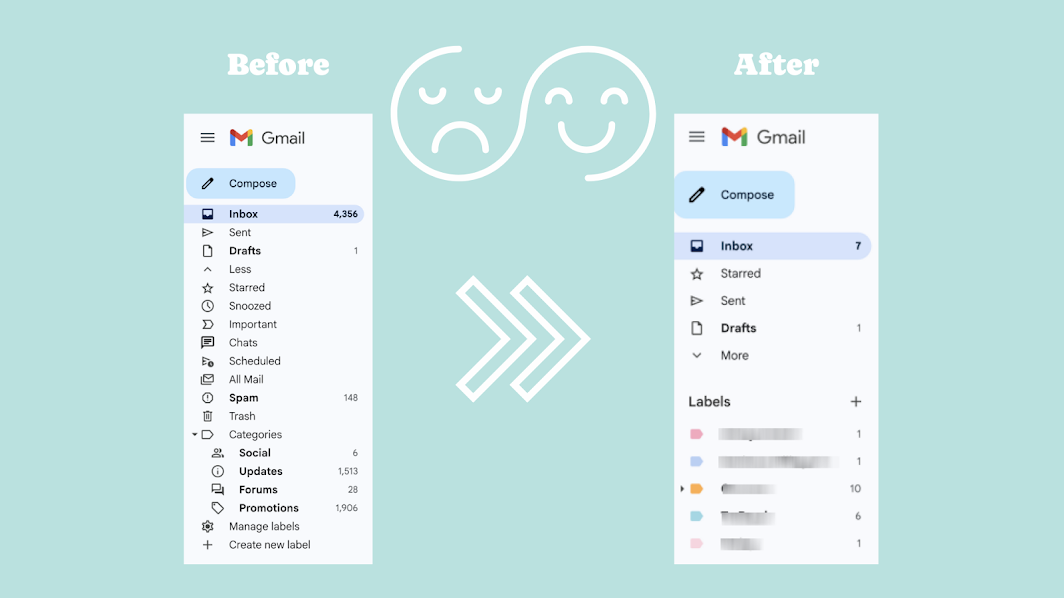
Liz transformed her Gmail experience in under an hour

I went through the Inbox Reset Ritual yesterday and I want to tell you what actually happened.
It took me less than an hour to both watch the videos and implement what I learned.
I consider myself pretty Gmail savvy. I've been using it for years, I have filters set up, I know my way around the settings. I didn't expect to learn much. I expected to tidy a few things up and move on.
What I didn't expect was to realize I'd been making things harder for myself this whole time.
I had separate inboxes set up a while back. One specifically for emails that needed my attention and ones with "good to know" emails. They were fine. To a point. But here's what I actually did every single day: I'd go to All Mail, filter to Unread, and work from there. Which means the inbox tabs weren't really doing anything for me. I was just adding a step.
After going through Inbox Reset Ritual, I don't have to do that anymore. My unread emails are front and center. The ones I've marked to take action on are easy to find. I'm not scrolling through things I've already dealt with just to get to the thing I need to respond to.
The other thing Sarah walks you through that I didn't even know was an option: you can set labels to only show up in your sidebar if they have unread emails in them. That one change alone cut so much visual noise. My Gmail sidebar used to be a list of labels I had to scan every time I opened it. Now it's just what actually needs my attention.
If you think you're already pretty good at Gmail, I get it. I thought the same thing. But "pretty good at Gmail" and "your Gmail is actually set up to work for you" are two different things. The Inbox Reset Ritual is what gets you from one to the other, in under an hour.
— Liz Stapleton of Creator Ops Hub.
Inbox Reset Ritual is your new Inbox Workflow streamlined:
Here's what's included to help you transform your inbox in under an hour👇
🖥 Quick Videos (Ranging 3-13 minutes in length) - Under 60 minutes total!
📫 First I'll help you setup your inbox for a simplified, clean, and functional experience by showing you the exact Gmail settings to use.
✨ Declutter your inbox (whether you have 200+ or even 10k+ emails, this process will work for you and melt away the overwhelm) In 10-minutes I'll show you exactly how to tackle your overflowing inbox without deleting anything important.
📊 Import Labels & Filters: I'll hand over my 30+ email filters for you to import and customize - creating an automated experience, you'll be amazed at how quickly your inbox transforms before your eyes!
✍️ Easy Sustainable Repeatable Process: Follow the quick videos, import my Labels & Filters customized to help you streamline your business inbox, make tweaks catered to your business and learn how to effortlessly search and surface emails.
☕️ The easy 10-minute daily ritual to stay on top of your new inbox and prevent it from populating into hundreds or thousands of emails all over again that I'll teach you in 3 minutes.
Meet Your Instructor
Hey there 👋 I'm Sarah Steckler, Host of the Mindful Productivity Podcast and Productivity Strategist helping you run a more streamlined, intentional, and profitable business.
Sarah Steckler
Productivity Strategist & Planner Publisher
I've been running my online business since 2016. Google Workspace has played a pivotal role in keeping me organized, running my schedule, staying on top of deadlines, managing my energy, and collaborating with other entrepreneurs.
Over the years (and with lots of trial and error) I learned easier ways to setup Gmail, Google Calendar, and structure my File and Folder systems so that I can worry less about how to store things and more about actually doing the work.
I can't wait to walk you through this simple process inside Inbox Reset Ritual that allows you to stay on top of the never ending flow of communication. You are going to be blown away at how much easier it's going to be running your inbox and responding to emails.

Email should be the easiest part of your business, let me gift you back hours to your daily workflow
Get my simple, step-by-step, strategy to keep your email organized and automate your business communication processes behind the scenes 👇
All prices are in USD. Due to the instant digital nature of this program, I do not offer refunds. Your purchase includes instant lifetime (perpetual) access
to all course materials and templates.
If you are a Wonderful Workspace Student you already have access to the
materials inside this mini course

This course, this sales page, and all materials included were created by me, Sarah Steckler, not AI.
Learn more about the Made by Me Badge here.